



What Is a Negative Keyword Audit and When Should You Perform One?
A negative keyword audit is the process of reviewing search term data, campaign performance, and existing exclusions to decide what should be blocked, kept, adjusted, or investigated further.
The goal isn’t just to add negative keywords. You want to protect your budget from irrelevant searches but still get enough qualified traffic for sales, ranking, and finding new keywords.
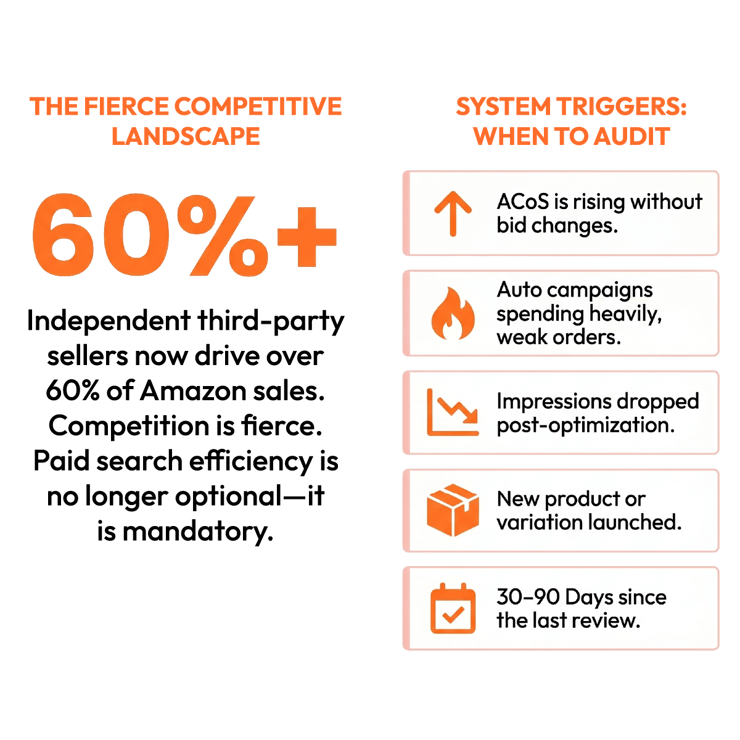
Run a negative keyword audit when:
- ACoS is rising even though bids and budgets have not changed much.
- Auto campaigns are spending heavily but producing weak order volume.
- Impressions dropped after a round of negative keyword changes.
- A new product, bundle, size, flavor, formula, or variation was launched.
- Existing negative keyword lists have not been reviewed in 30 to 90 days.
This is even more important as competition on Amazon grows. According to Marketplace Pulse, independent third-party sellers now make up over 60% of sales on Amazon in late 2026. With millions of sellers fighting for attention, paid search ads are more valuable than ever. If your negative keyword list isn’t managed well, you could waste money, or worse, block the traffic your brand needs to keep improving.
Step 1: Pull Search Term and Campaign Data
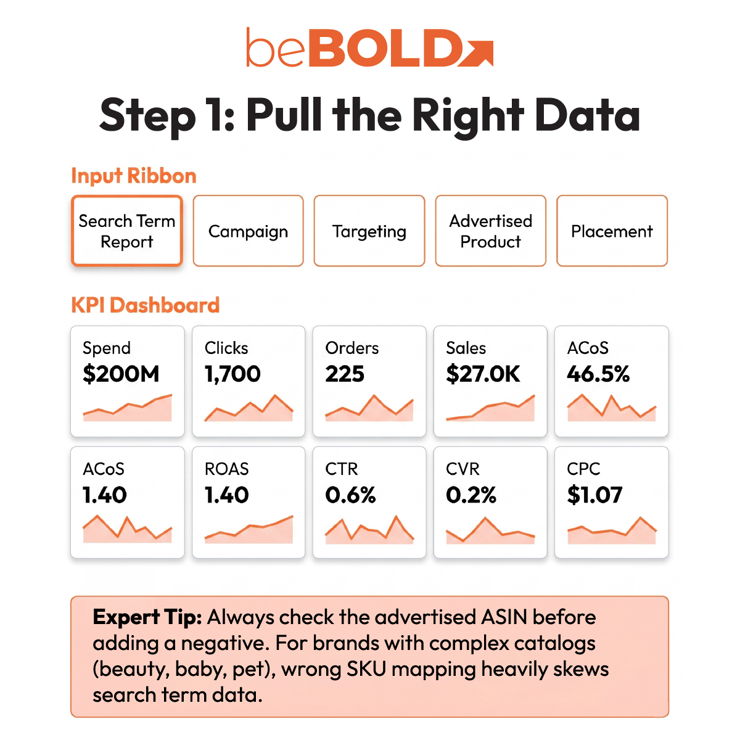
Start with the Search Term Report to see which customer queries triggered your ads and how they performed.
If performance is unclear, review supporting reports:
- Campaign report: identify budget-draining campaigns.
- Targeting report: compare keyword, ASIN, and category targets.
- Advertised product report: confirm which SKU received the traffic.
- Placement report: check whether placements are driving excess spend.
Review key metrics together:
- Spend
- Clicks
- Orders
- Sales
- ACoS
- ROAS
- CTR
- CVR
- CPC
Don’t judge a search term by just one metric. High spend with low sales might mean the term isn’t relevant, but it could also mean your ad is linked to the wrong SKU or your product page needs work.
beBOLD Digital Expert Tip: Always check the advertised ASIN before adding a negative keyword. For brands in beauty, baby, pet, health, and household categories, similar product variants can make the data confusing. A search might not work for one SKU but could perform well if sent to the right formula, size, scent, or pack.
For a broader performance review, pair this process with an Amazon PPC audit.
Step 2: Identify Waste and Diagnose the Cause
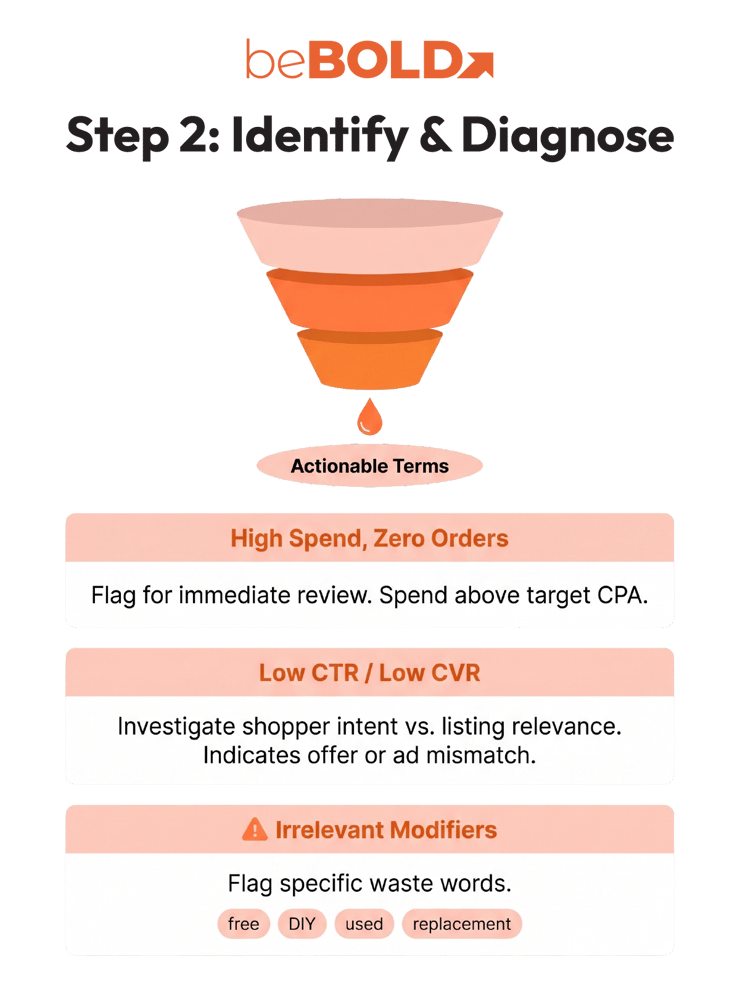
Once your data is pulled, sort by spend, clicks, and orders to identify queries that are consuming budget without generating enough return.
Flag search terms with:
- High clicks and zero orders.
- Spend above your target cost per acquisition.
- Low CTR, which may indicate weak shopper intent or ad relevance.
- Low CVR, which may point to listing, pricing, review, or offer issues.
- Irrelevant modifiers such as “free,” “DIY,” “used,” “replacement,” or “wholesale.”
The next step is diagnosis. For example, if a skincare brand sees spend on “fragrance free moisturizer” with no sales, a negative may make sense if the product is scented. But if the brand sells a fragrance-free variation, the better solution is to route that query to the correct ASIN.
Use this decision table before applying negatives:
|
Issue |
What It Means |
Best Action |
|
Query is clearly irrelevant |
Shopper intent does not match the product |
Add negative exact or phrase |
|
Query is relevant but too expensive |
CPC is too high for the current conversion rate |
Bid down or isolate |
|
Query matches the wrong SKU |
Campaign structure is routing traffic poorly |
Restructure ad groups |
|
Query has poor CVR but clear relevance |
PDP, price, reviews, or offer may be weak |
Improve the listing or offer |
|
Query has limited data |
Performance is not reliable yet |
Monitor before blocking |
|
Query converts but ACoS is high |
It may still have ranking or discovery value |
Lower bid or move to exact |
A good negative keyword audit helps protect your budget, but it won’t fix deeper problems. If your listing has weak images, few reviews, bad pricing, or unclear messaging, blocking keywords might tidy up your campaign but won’t solve the real issue.
Step 3: Apply Negatives and Check for Overblocking
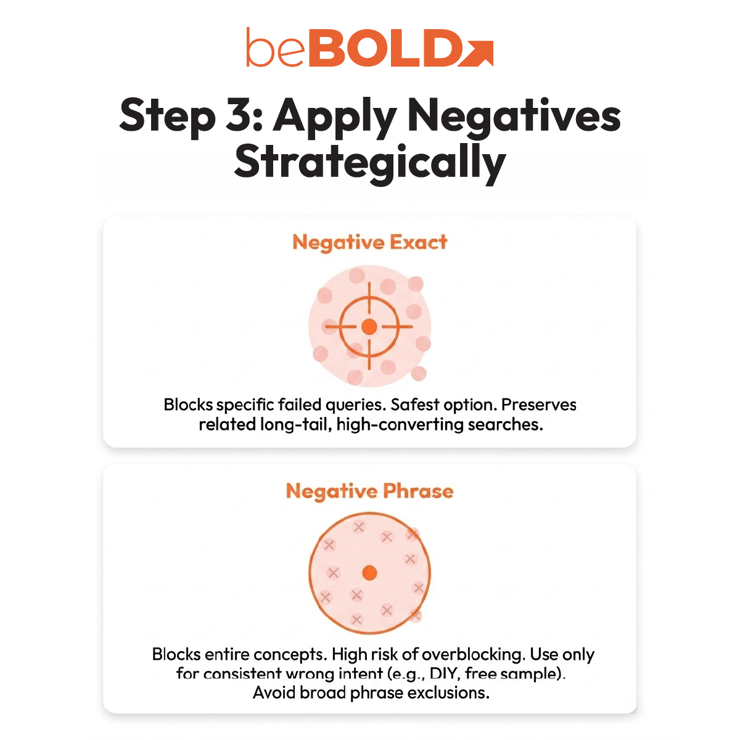
After diagnosis, decide whether the term should become a negative keyword or receive another action.
Use negative exact when a query has enough data and repeatedly shows poor fit. This is often the safer option because it blocks one search without limiting related long-tail searches that may still convert.
Use phrase match negative keywords only when the phrase consistently signals the wrong intent. For example, a premium serum brand may want to block searches like “DIY serum recipe” or “free sample.”
Avoid broad phrase negatives unless the intent is clearly irrelevant. Terms such as “organic,” “refill,” “kids,” or “travel size” could become valuable later if your catalog expands.
After adding new negatives, review older exclusions for overblocking. Check whether they now block:
- New variants or bundles.
- Seasonal searches.
- Long-tail purchase-intent searches.
- Newly relevant product attributes.
- Queries that should move into exact match instead of being blocked.
This is why your Amazon PPC campaign structure is important. Auto campaigns help you discover new terms, broad campaigns test demand, and exact campaigns grow proven keywords. Use negatives to guide traffic between these types, not to block good potential customers.
beBOLD Digital Expert Tip: Be cautious with campaign-level negatives. They are useful for universal exclusions, but they can also block traffic across multiple ad groups. If the problem is SKU-specific, use ad group-level control.
Step 4: Decide the Final Action for Each Search Term
A complete negative keyword audit ends with a decision framework. Every search term should have a clear next step.
|
Final Action |
Use When |
|
Negative exact |
One specific query is irrelevant or repeatedly unprofitable |
|
Negative phrase |
A phrase consistently shows poor-fit intent |
|
Bid down |
The query is relevant but too expensive |
|
Move to exact |
The query converts and deserves dedicated budget |
|
Remap SKU |
The query fits another product better |
|
Fix PDP |
The query is relevant, but the listing is not converting |
|
Monitor |
The query does not have enough data yet |
This approach stops your audit from turning into just a blocklist. Negative keywords help cut wasted traffic, but you should also use bidding, keyword research, listing improvements, and smart campaign setup.

What Are the Most Common Negative Keyword Audit Mistakes?
Most problems with negative keywords happen when sellers move too quickly or block too many terms at once.
Avoid these mistakes:
- Blocking terms before they have enough clicks or spend.
- Using phrase negatives when negative exact would be safer.
- Treating every low-CVR query as irrelevant.
- Ignoring product price, reviews, coupons, images, and Buy Box status.
- Applying negatives at the campaign level when the issue only affects one SKU.
- Forgetting to review old negatives after catalog changes.
- Blocking category terms that still support ranking, awareness, or discovery goals.
Sellers need to watch out for these mistakes because negative keywords can stay in your account long after your business changes.
How beBOLD Digital Helped a Beauty Brand Navigate Negative Keywords
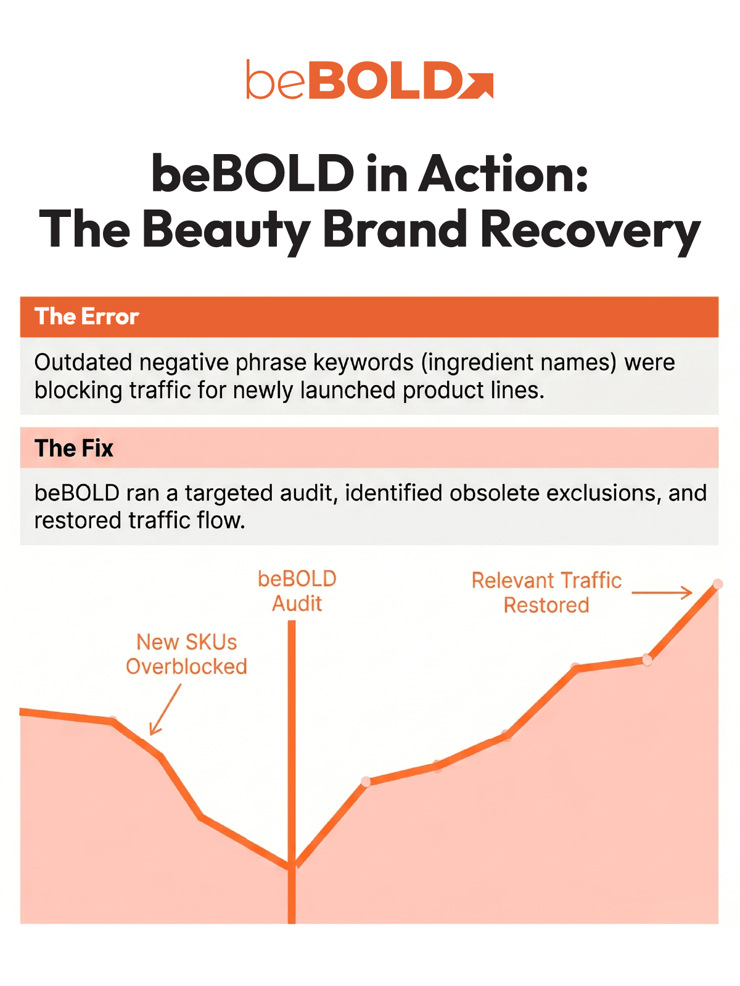
A beauty brand had blocked several ingredient-based phrases during an earlier campaign cleanup. Months later, the brand launched new products that actually matched those attributes, but the outdated exclusions were still preventing relevant shoppers from finding them through ads.
During the audit, beBOLD found the old negatives, removed them, and restored traffic so the new products could reach valuable long-tail searches. Without regular reviews, you might limit visibility for new launches and miss out on sales from relevant searches.
Ready to Improve Amazon PPC Performance? Partner With beBOLD Digital
Negative keyword audits can help you find wasted spend and make your campaigns more efficient. But real PPC success comes from knowing how search terms, campaign setup, bidding, and product positioning all work together. If you’re dealing with high ACoS or wasted ad spend, beBOLD Digital can help you spot opportunities, improve results, and build a strategy that grows with your business. Contact us today!
FAQs
What is a negative keyword audit?
A negative keyword audit reviews search term data and existing exclusions to decide which terms should be blocked, kept, adjusted, or investigated before more ad budget is spent.
How often should Amazon sellers audit negative keywords?
High-spend campaigns should be reviewed weekly or biweekly. Stable campaigns can usually be reviewed monthly, with a deeper audit every quarter or after major catalog updates.
Should I use a negative exact or negative phrase?
Use negative exact for specific poor-performing queries. Use negative phrase only when a phrase consistently signals irrelevant intent and is unlikely to block valuable long-tail searches.
Can negative keywords hurt Amazon PPC performance?
Yes. Negative keywords can hurt performance when they are too broad, outdated, or applied at the wrong campaign level. They may block profitable searches, new variant demand, or discovery traffic.








Comments