



You can find Amazon competitor keywords with Amazon’s free native tools, including autocomplete, Brand Analytics, and the Search Query Performance report, before turning to third-party software. Begin with relevant competitor listings, explore ASINs through available free lookup tools, and use Amazon’s data to evaluate keyword opportunities.
The key is knowing what each source reveals. An autocomplete suggestion, a phrase in a competitor’s title, and an observed search ranking provide different signals. Evaluating those signals and building a well-supported keyword shortlist helps shape an effective Amazon SEO strategy. This research is part of beBOLD Amazon account management services.
Which Free Tools Fit Competitor Research?
Amazon’s Own Sources: Public Discovery and Eligible Reports
Amazon provides a suite of native, free features and reports to support keyword discovery. In its keyword research guidance, Amazon highlights examining competing listings and leveraging search-bar suggestions as practical starting points when third-party software limits arise.
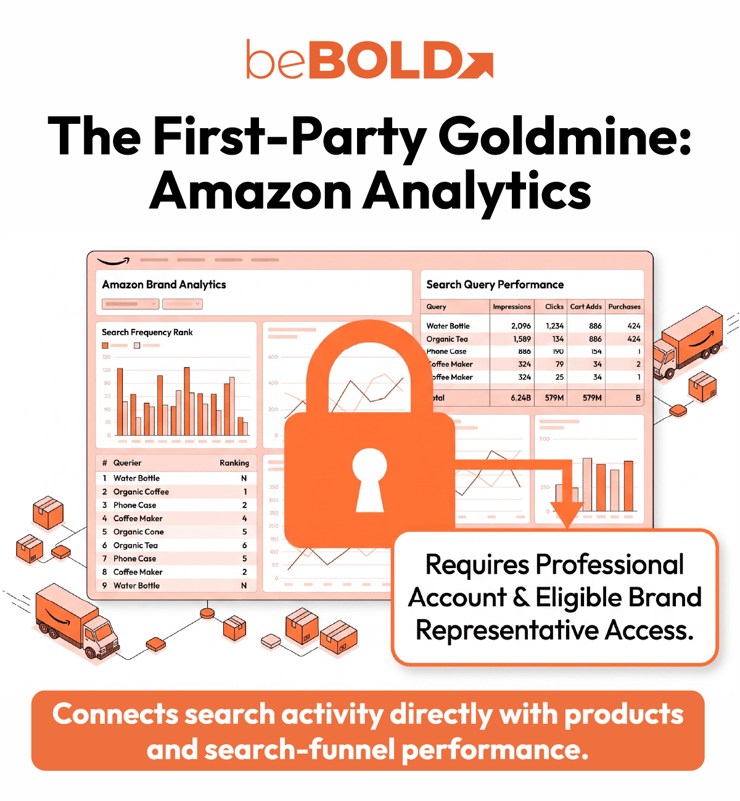
For eligible sellers, first-party reporting unlocks deeper insights. Brand Analytics reveals top customer queries alongside leading products, while the Search Query Performance report delivers search-funnel metrics specifically for your products.
Key native Amazon keyword tools include:
-
Amazon Autocomplete: Generates real-time search suggestions directly from the Amazon search bar based on active shopper queries.
-
Brand Analytics (Top Search Terms): Provides brand-registered sellers with high-level data on popular customer search terms, search frequency ranks, and top-clicked products.
-
Search Query Performance Report: Offers granular funnel performance metrics, which include impressions, clicks, cart adds, and purchases—for queries leading to your brand's catalog.
-
Amazon’s Keyword Research Guidance: Official seller documentation recommending best practices for indexing, listing copy alignment, and customer-centric search optimization.
SellerApp: An ASIN-Based Starting Point
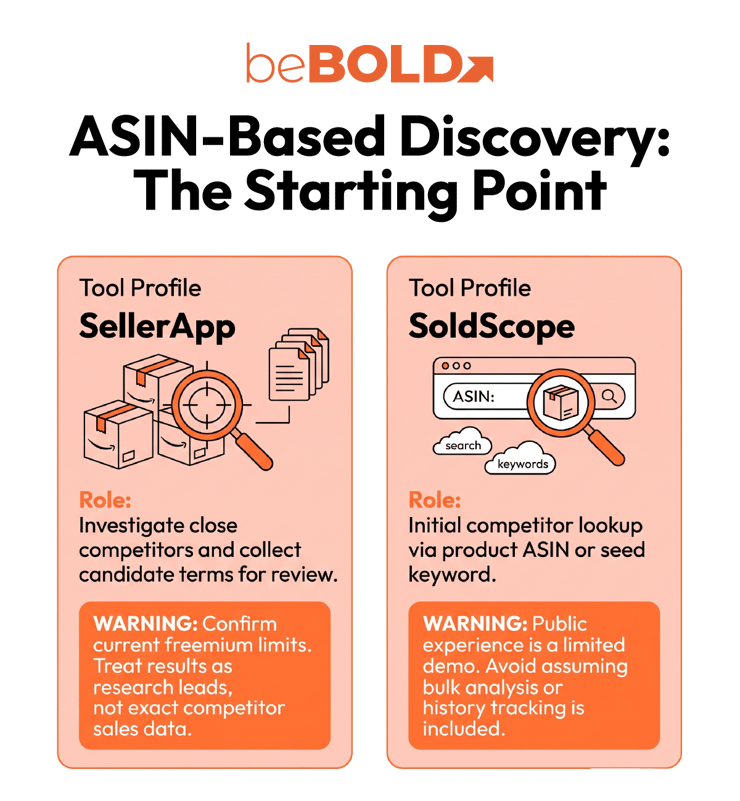
SellerApp advertises a free reverse ASIN lookup, and its pricing page confirms a continuing Freemium plan. Use it to investigate a close competitor and collect candidate terms for review.
The public descriptions do not establish an unrestricted export or a guaranteed current reverse-ASIN allowance. Check what your free access returns before planning a larger review. Treat results as research leads, not access to a competitor’s private advertising account or proof of its keyword-level sales.
SoldScope: A Limited Demo for Initial Checks
SoldScope’s public keyword tool accepts a product ASIN or seed keyword. The page identifies it as a limited demo, making it an option for an initial lookup rather than a promised free replacement for the full platform.
Use the output to decide which terms deserve closer inspection. Record any limit you encounter, and avoid assuming that the platform’s bulk analysis, history, or tracking capabilities are included in the public tool.
Keyword Tool Dominator: Expand Competitor-Inspired Seeds
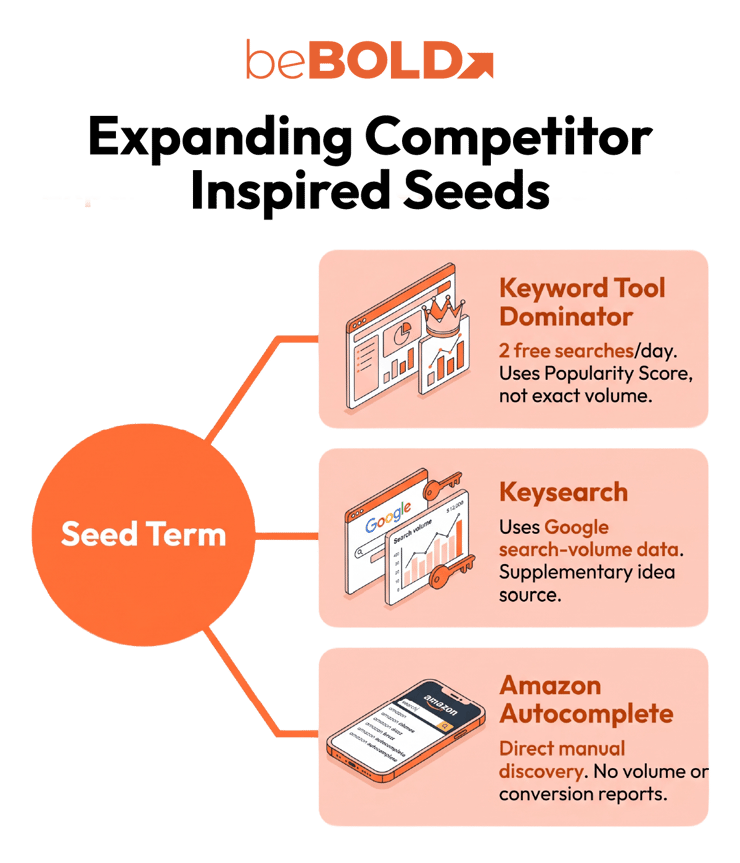
Keyword Tool Dominator pulls Amazon autocomplete suggestions. Take a relevant non-brand phrase from a competitor listing and use it as a seed to explore related searches.
Its Popularity Score and Hot Keywords indicators describe its suggestion results. They are not monthly Amazon search counts, competitor organic ranks, or PPC bids. The published two-search daily allowance makes careful seed selection useful.
Keysearch: Suggestions With a Different Volume Source
Keysearch combines Amazon suggestions with Google search-volume data. It can help uncover wording, but its volume figures should not be labeled Amazon search demand.
Use it as a supplementary idea source. If your question is which terms a particular competing ASIN ranks for, a seed-based generator does not answer that question by itself.
Why Sonar and Free Cerebro Are Missing From This List
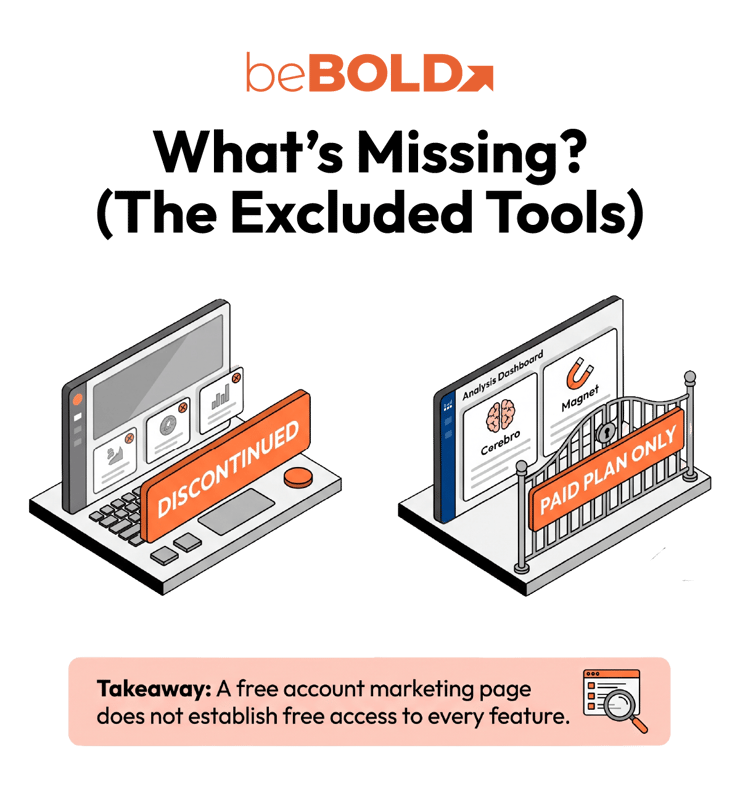
Some free-tool lists still recommend Sonar. However, Perpetua’s Sonar page now says the feature is no longer available.
In addition, Helium 10 also requires a qualification. Its detailed plan documentation marks Cerebro and Magnet as unavailable under Free. Separately, Magnet has been integrated into Cerebro.
A free account or free-tool marketing page does not establish free access to every feature. Check an account-specific offer before depending on it, and keep trials separate from continuing free access.

Quick Comparison Guide for Free Competitor Research Tools
The most useful free Amazon competitor keyword research tools depend on your starting point. An ASIN lookup helps investigate a specific product. A keyword generator expands a phrase you already have. Amazon reporting answers another set of questions.
|
Option |
Starting input |
Useful role |
Free-access qualification |
|
SellerApp |
Competitor ASIN |
ASIN-based keyword discovery |
Free tool and limited Freemium access; confirm current limits. |
|
SoldScope |
ASIN or seed term |
Initial competitor lookup |
Public experience is labeled a limited demo. |
|
Keyword Tool Dominator |
Seed term |
Autocomplete expansion |
Two free searches daily per keyword source; no signup required for that allowance. |
|
Keysearch |
Seed term |
Related keyword ideas |
Free public generator; displayed volume uses Google data. |
|
Amazon autocomplete |
Partial search phrase |
Manual suggestion discovery |
No research-software subscription; no volume or competitor conversion report. |
|
Amazon Brand Analytics |
Queries and brand/product context |
First-party search analysis |
Professional account and eligible Brand Representative access required. |
“Free” can mean a public tool, a restricted account, or a small demonstration. It can also mean a benefit included with an account you already pay for. Check those conditions before designing a recurring workflow around a tool.
Build a Competitor Keyword Shortlist Without a Paid Subscription
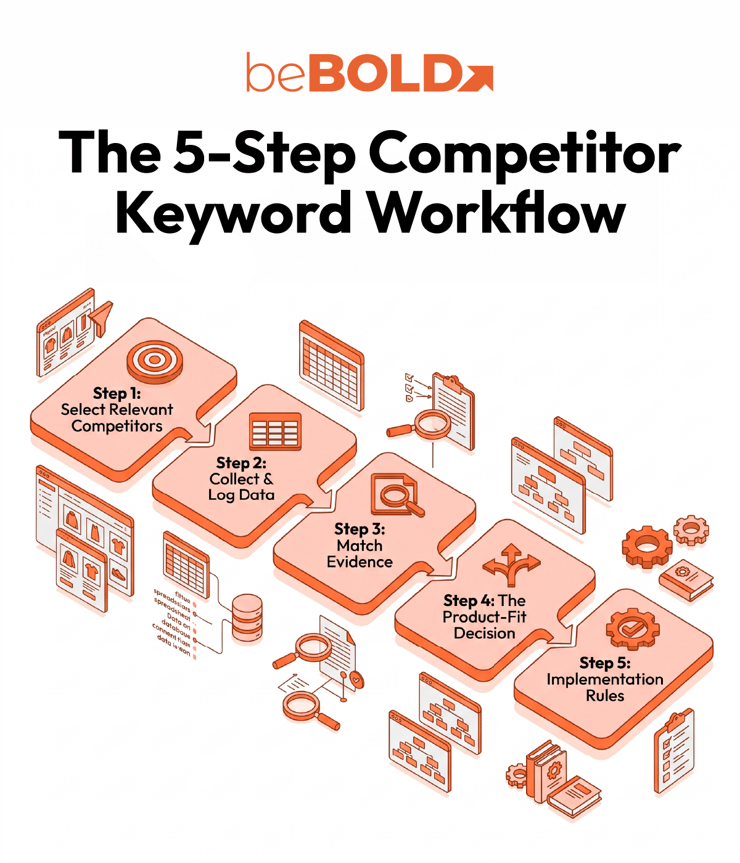
1. Choose a Small Set of Relevant Competitors
Start with three close alternatives a shopper could reasonably compare with your product. This is a practical starting point for limited searches, not a required Amazon benchmark.
For a beauty product, compare product type, format, ingredients, intended use, size, and positioning. A leave-in conditioner and a rinse-out mask may share some wording while serving different shopping needs.
Record the exact ASIN and variation reviewed. Large brands can provide useful context, but their reach alone does not make every associated keyword relevant to your offer.
2. Collect Candidate Terms and Record Their Origin
Review each competitor’s title, bullets, and other visible product information. Use an available ASIN lookup, then expand promising non-brand phrases with Amazon autocomplete or one suggestion tool.
Do not turn this into a requirement to use every free product. One lookup source plus one expansion method may be enough for a focused review. Two tools drawing from autocomplete may repeat the same underlying signal rather than independently validate it.
For each candidate, record the phrase, competitor ASIN, marketplace, research date, and source type. Keep vendor estimates separate from Amazon report metrics. If the tool returns no result, record “no data” rather than interpreting the absence as zero demand.
3. Match the Evidence to the Decision
A keyword’s presence in a title establishes visible wording. An autocomplete suggestion establishes a suggested query. A third-party ranking record represents that provider’s observation or model. None of these alone establishes profitability for your product.
For eligible brands, compare relevant candidates with the query and performance information available in Brand Analytics. If you already advertise, existing Sponsored Products search term reports can add your own campaign evidence. These reports cover search terms that produced at least one ad click; they do not expose a competitor’s campaign results.
Running new ads to collect data costs money, so treat that as an optional paid validation step rather than part of a guaranteed $0 workflow.
4. Use a Product-Fit Worksheet
Consider a hypothetical fragrance-free, rinse-out hair mask. The phrases below illustrate decisions, not measured keyword opportunities or actual tool results.
|
Candidate phrase |
Product-fit question |
Next action |
|
fragrance-free hair mask |
Does this accurately describe the formula and product? |
Review as a candidate for visible copy if confirmed. |
|
hair mask for color-treated hair |
Is that suitability supported by the product’s intended use and evidence? |
Validate before adopting. |
|
leave-in conditioner |
Is the product designed to remain in the hair? |
Reject for this rinse-out product. |
|
hair growth treatment |
Is that claim supported for this specific product? |
Exclude unless substantiated and appropriate. |
|
a competing brand name |
Is this being confused with a generic product term? |
Keep separate from the listing keyword shortlist. |
Add columns for source, available demand evidence, current listing coverage, and owner. Then assign one action: use, validate, or reject. A high estimate should never override a product mismatch.
This is especially useful for beauty brands, where the difference between a format, ingredient, suitability statement, and performance claim changes what the listing should say.
5. Turn Approved Terms Into Specific Changes
Check whether each approved concept is already clear in your listing. Add relevant missing information naturally rather than repeating every variation across fields. Use the Amazon backend keywords guide for implementation detail.
Amazon’s search-term guidance identifies brand names and ASINs as prohibited backend search terms. Discovering them during competitor research does not make them appropriate entries.
Keep a change log and review the available performance evidence afterward. When a listing already receives relevant traffic but fails to persuade shoppers, another keyword may not address the problem. Product presentation and offer quality also deserve review.
For the wider process beyond this free-tool workflow, see beBOLD Digital’s Amazon keyword research guide.
When Paying for Research Becomes Worthwhile
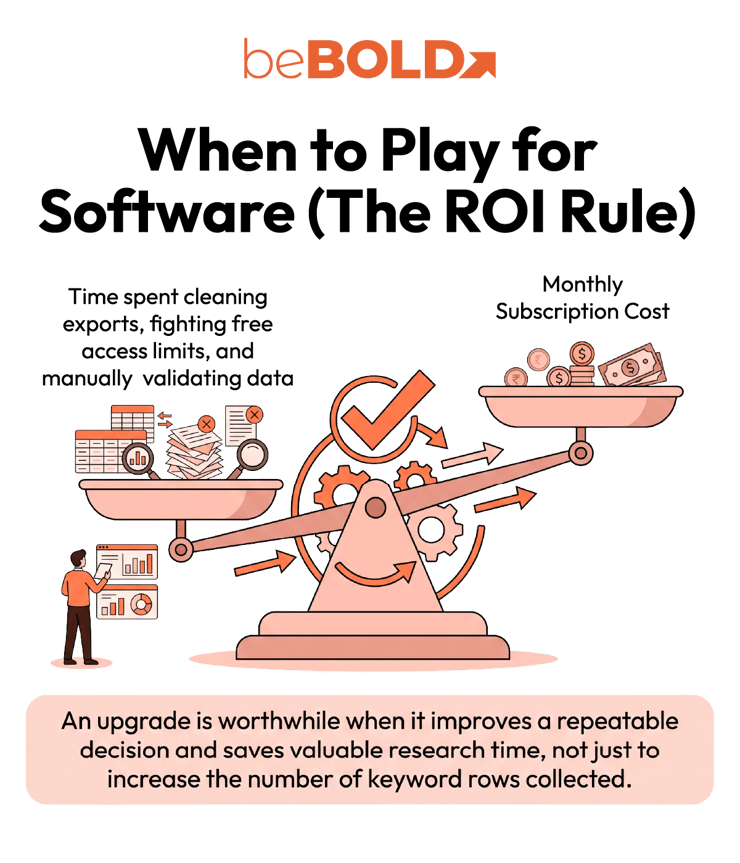
Free access is most practical for a focused review with a manageable number of products. Consider paid software when a specific restriction repeatedly blocks a necessary task, such as comparing many ASINs, exporting sufficient results, or tracking changes over time.
Evaluate the actual paid plan against that requirement. Paying does not automatically make every estimate more accurate, and a larger keyword list is not inherently more useful.
One simple decision rule is to compare the monthly subscription cost with the value of research time it could save. Include the work needed to clean exports and validate product fit. The upgrade should improve a repeatable decision, not merely increase the number of rows collected.
Turn a Keyword Shortlist Into a Stronger Amazon Strategy
beBOLD Digital’s recommendation is to prioritize the connection between shopper intent, product truth, and the next measurable action. Free tools can help you discover candidates; the value comes from deciding which deserve attention and how they fit the listing.
If your team needs help translating that research into a coordinated plan, explore beBOLD Digital’s Amazon SEO services, or schedule a call with our team today!
Frequently Asked Questions
Can a reverse-ASIN tool show a competitor’s exact backend keywords?
Do not treat its output as an export of a competitor’s private backend fields. It can surface associated keywords or ranking evidence, depending on its methodology. Visible product wording is another source, but it does not reveal which hidden terms the seller entered.
What if a competitor’s ASIN returns no keywords?
Check the ASIN, marketplace, and variation. Missing results can reflect tool coverage or free-access restrictions. Continue with visible listing language and suggestions, recording that competitor-ranking evidence remains unavailable.
Should I average search-volume numbers from different tools?
Avoid averaging incompatible measures. Google volume, an autocomplete popularity score, a vendor’s Amazon estimate, and Amazon query counts describe different things. Compare marketplace, reporting period, and metric definition before interpreting differences.
Can ChatGPT replace a free Amazon keyword tool?
ChatGPT can organize supplied terms, suggest modifiers, and help draft a worksheet. Without verified current data, it cannot establish search volume, competitor rankings, or tool availability. Treat its generated keywords as ideas requiring validation.






Comments