



The Amazon FSA and HSA Program allows customers to use tax-advantaged health funds for qualifying products, but eligibility is determined by IRS medical expense rules and SIGIS standards. Amazon relies on accurate product data, including UPC and catalog integrity, to determine whether an ASIN qualifies for FSA/HSA designation.
What Is the Amazon FSA and HSA Program?
 Source: Pexels
The Amazon FSA and HSA Program allows customers to use eligible health-benefit funds to purchase qualifying healthcare products on Amazon.
An FSA (Flexible Spending Account) is typically employer-sponsored and reimburses qualified medical expenses, while an HSA (Health Savings Account) is a tax-advantaged account for eligible individuals used for similar expenses. IRS Publication 969 outlines the governing rules for both.
For sellers, the key factor is product eligibility.
Amazon requires FSA/HSA-eligible products to meet IRS medical expense guidelines and align with SIGIS standards. Product data, including UPCs, is used to match eligible items to ASINs in the Amazon catalog.
As a result, participation in the Amazon FSA or Amazon HSA ecosystem depends on accurate catalog data and verified product eligibility, not simply adding FSA or HSA terms to a listing.
Why FSA/HSA Eligibility Matters for Amazon Sellers
For brands selling qualifying healthcare products, FSA/HSA eligibility improves product discoverability and purchase relevance.
Consumers using health-benefit funds actively search for eligible items, and Amazon organizes these products around that intent. This is increasingly important given that over 60% of U.S. consumers now use AI to research healthcare-related purchases before buying, according to industry healthcare commerce research trends.
At the same time, Amazon continues to expand its healthcare and wellness ecosystem, with millions of shoppers actively browsing FSA/HSA-eligible categories each year.
For sellers, key benefits include:
-
Access to shoppers using FSA or HSA funds
-
Improved relevance for FSA-eligible product searches
-
Easier product discovery for qualified healthcare needs
-
Reduced listing errors tied to eligibility or catalog data
However, eligibility is not a marketing label sellers can apply independently. It must be verified based on whether the product actually qualifies.
Which Products Can Be FSA or HSA Eligible on Amazon?
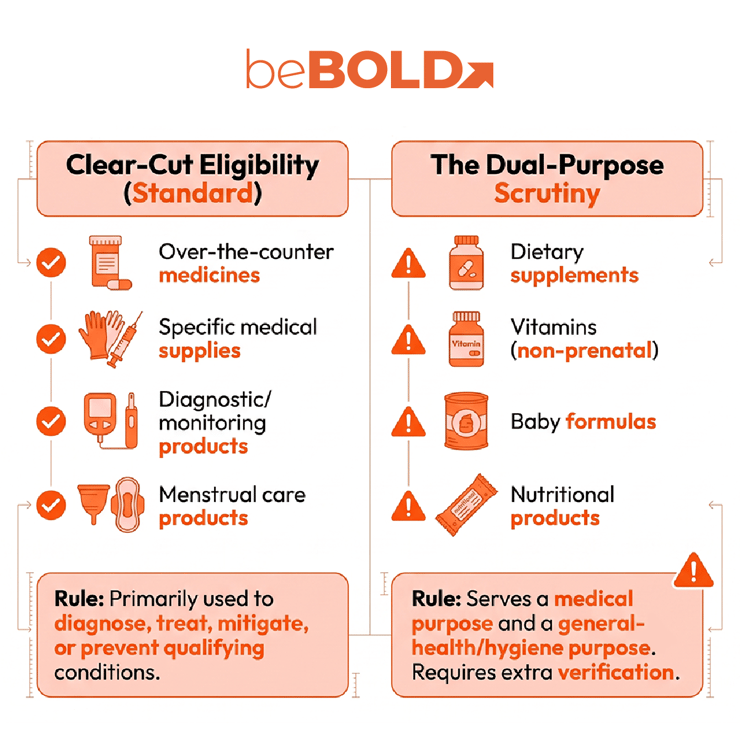
Eligibility depends on whether the product meets qualified medical-care requirements.
IRS Publication 969 defines eligible HSA expenses under Internal Revenue Code Section 213(d) and includes items such as over-the-counter medicines and menstrual care products as qualified FSA expenses. SIGIS then provides the industry-standard SIGIS Eligible Product List, helping merchants determine whether products are eligible, ineligible, or dual-purpose.
Products That May Qualify
Depending on their intended use and applicable eligibility requirements, FSA Eligible Items can include categories such as:
-
Over-the-counter medicines
-
Certain medical supplies
-
Diagnostic and monitoring products
-
Menstrual care products
-
Products primarily used to diagnose, treat, mitigate, or prevent qualifying medical conditions
Products That Require Additional Scrutiny
The distinction becomes particularly important for Amazon health and wellness brands. SIGIS classifies certain products as dual-purpose because they may serve a medical purpose while also serving a cosmetic, nutritional, hygiene, or general-health purpose. Examples include:
-
Vitamins (other than prenatal vitamins)
-
Baby formulas or nutritional products
These items are not automatically included in the standard SIGIS Eligible Product List. The IRS also notes that nutritional supplements generally qualify as medical expenses only when recommended by a medical practitioner to treat a specific diagnosed condition. For supplement and wellness brands, selling a product in Amazon's Health & Household category does not automatically make it Amazon FSA or Amazon HSA eligible.

How to Get a Product FSA/HSA Eligible on Amazon
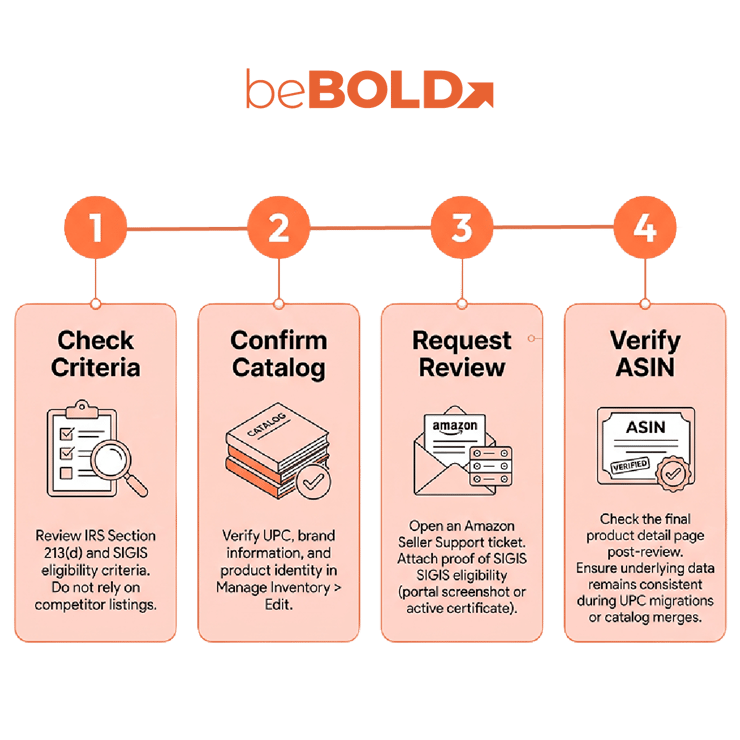
Amazon sellers should approach FSA/HSA eligibility as a product-data and compliance process.
1. Check the Product Against Qualified Medical Expense Criteria
Start by determining whether the product fits applicable qualified medical expense rules. Review IRS guidance and SIGIS eligibility criteria instead of relying on competitor listings or assumptions based on product category.
2. Confirm Your UPC and Amazon Catalog Information
Product identifiers matter. Amazon uses UPC information from SIGIS to match qualifying products with corresponding ASINs in the Amazon catalog. If the UPC, brand information, product identity, or catalog relationship is incorrect, an otherwise qualifying product may encounter eligibility problems.
In Seller Central, navigate to Manage Inventory > Edit > Product Identity to verify this data. Before submitting a request, sellers should review:
-
UPC accuracy
-
Brand information
-
ASIN-to-product relationships
-
Product titles and key catalog attributes
-
Duplicate or conflicting product records
3. Request FSA/HSA Eligibility Review
If an eligible product is not correctly recognized, sellers can work through Amazon Seller Support. To do this, go to Help > Get Support > Selling on Amazon > Browse for your issue > Products, Listings, or Inventory.
Be sure to attach proof of SIGIS eligibility (such as a screenshot from the SIGIS portal or an active certificate) when opening your support ticket. Amazon can then submit applicable requests to SIGIS on the seller's behalf.
4. Verify the ASIN After Review
Do not assume that submitting a request means the ASIN is immediately eligible. Confirm that the final product detail page is correctly identified and that the underlying product data remains consistent. This is especially important for brands managing large Amazon catalogs, product variations, packaging changes, UPC migrations, or catalog merges.
What If an Eligible ASIN Is Not Showing as FSA/HSA Eligible?
If a product should qualify but is not recognized by Amazon, first troubleshoot the catalog before changing listings. Check:
-
UPC accuracy tied to the ASIN
-
Correct product representation in Amazon’s catalog
-
Alignment with current SIGIS criteria
-
Consistency between brand and product data and the actual item
-
Whether a Seller Support case already includes all required details
SIGIS updates its SIGIS Eligible Product List on a monthly cycle, so approval timing can vary. If Amazon requests more information, respond within the existing Seller Support case instead of creating new ASINs or repeatedly modifying product data.
How to Maximize FSA/HSA Eligibility After Approval
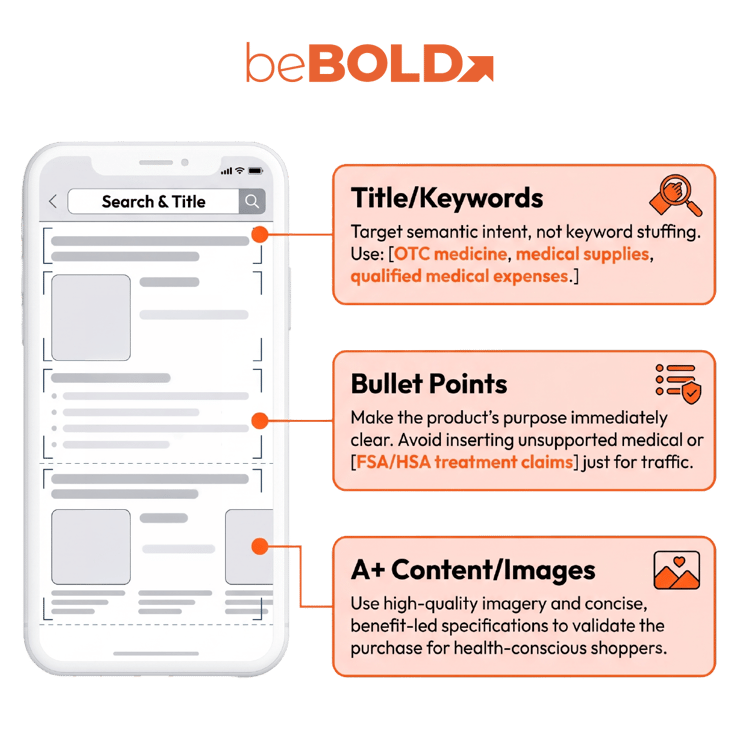
Getting an eligible ASIN correctly recognized is only part of the opportunity.
Once a qualifying product is available within the Amazon FSA and HSA Program, brands should make sure the rest of the Amazon detail page supports visibility and conversion.
Maintain Accurate Product Information
Health-related products require particularly careful catalog management. Titles, bullets, images, product attributes, variation relationships, and backend data should accurately represent the item being sold.
Avoid inserting unsupported medical, FSA, HSA, or treatment claims simply to capture additional search traffic.
Strengthen Amazon SEO
Research the language customers actually use around the underlying product problem. Depending on the category, relevant semantic topics may include:
-
FSA eligible healthcare products
-
qualified medical expenses
-
OTC medicine
-
medical supplies
-
health monitoring devices
-
personal healthcare products
-
HSA eligible products
-
FSA eligible items
The objective is not to repeat "FSA" throughout the listing. Product relevance, customer intent, catalog accuracy, and conversion quality still matter.
Improve Conversion Content
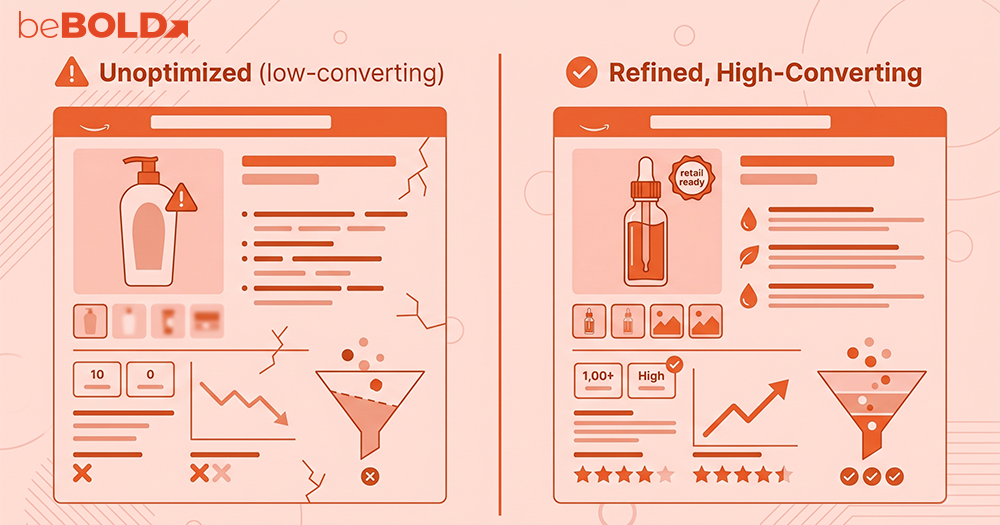
For eligible healthcare products, strong Amazon content should make the product’s purpose immediately clear.
Use high-quality product imagery, concise benefit-led bullets, accurate specifications, and A+ Content where appropriate. Explain what the product does and who it is designed for without expanding beyond substantiated claims.
Coordinate Advertising and Organic Visibility
Amazon SEO and advertising should support each other.
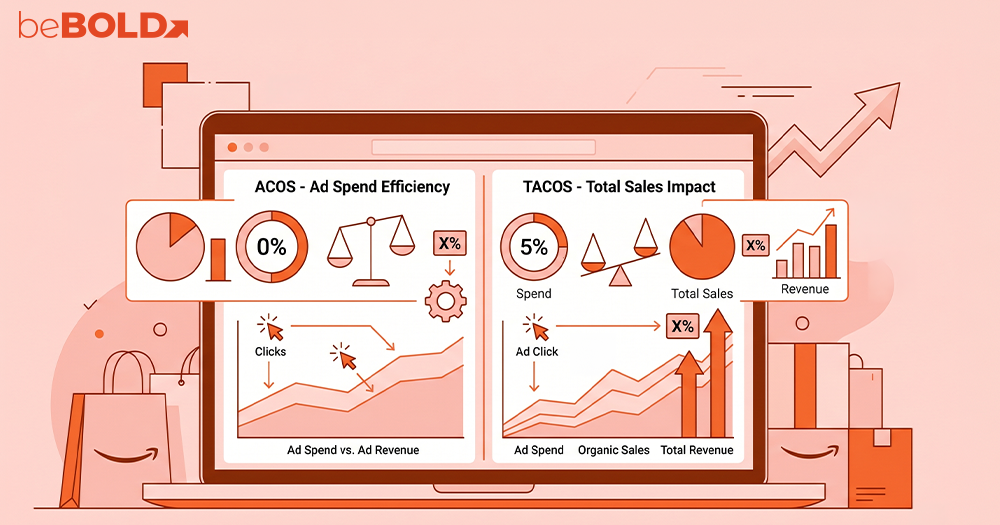
Brands can evaluate relevant Sponsored Products and Sponsored Brands search terms while monitoring how shoppers discover and convert on qualifying products. Search-term data can also reveal whether customers primarily enter through product-specific queries or through broader FSA/HSA-related searches.
At beBOLD Digital, we recently supported a health and wellness brand struggling with inconsistent FSA/HSA eligibility across their Amazon catalog. By aligning their product data, optimizing UPC-to-ASIN mapping, and refining their listings and advertising strategy, we helped ensure eligible products were correctly recognized and better positioned for discovery.
This integrated approach, combining catalog management, Amazon SEO, advertising, listing optimization, compliance awareness, and conversion strategy, shows how we drive sustainable growth for health and wellness brands on Amazon. .
Important Considerations for Amazon Sellers
Before pursuing eligibility, keep several points in mind:
-
Eligibility is product-specific. Do not assume an entire brand or Amazon category qualifies because one ASIN does.
-
Healthcare does not automatically mean eligible. SIGIS specifically distinguishes medical products from general-health and dual-purpose products.
-
Supplements require particular caution. The IRS and SIGIS both place restrictions around general nutritional supplements.
-
Catalog accuracy matters. UPC and ASIN relationships can affect whether Amazon correctly identifies an eligible product.
-
Eligibility rules can change. Sellers should verify current Amazon, IRS, and SIGIS guidance.
Disclaimer: This is not tax advice. Customers should consult their plan administrator or appropriate tax professional when necessary
Turn FSA/HSA Eligibility Into a Stronger Amazon Strategy
For qualifying health and wellness brands, FSA/HSA eligibility should be treated as part of a broader Amazon growth strategy, not an isolated catalog task. Success depends on aligning product eligibility with accurate catalog data, strong Amazon SEO, and effective advertising and conversion optimization.
If your brand sells health, wellness, or medical-adjacent products on Amazon, beBOLD Digital can help you navigate catalog management, SEO, advertising, and full-service Amazon account growth. Stop leaving sales on the table.
Get a free catalog audit from beBOLD Digital today to turn product eligibility into measurable marketplace performance.
 FAQs
FAQs
Can sellers apply for FSA/HSA eligibility through Amazon?
Yes. Amazon's seller guidance provides a process for sellers to request the addition or removal of products from FSA/HSA eligibility. Sellers should first verify that the product meets applicable criteria and that catalog information, including the UPC, is correct. Amazon Seller Support may request a product application form and related catalog information.
Are supplements FSA/HSA eligible on Amazon?
Not automatically. SIGIS treats dietary supplements and most vitamins as dual-purpose products rather than automatically eligible items. The IRS also states that nutritional supplements generally qualify as medical expenses only when recommended by a medical practitioner to treat a specific diagnosed condition.
How long does FSA/HSA eligibility approval take?
There is no single approval timeline that applies to every Amazon product. SIGIS reviews product submissions through a recurring review process and updates its Eligible Product List monthly, while Amazon may also need to review or match product information in its catalog.
What should I do if Amazon does not recognize an eligible product?
First verify the UPC, ASIN, brand information, and SIGIS eligibility status. If the information is accurate, open a Seller Support case and provide the requested product and catalog details. Amazon's seller guidance specifically directs sellers to Seller Support for eligibility requests and troubleshooting.




Comments