





Most Amazon Seller Customer Service problems happen because tickets are unclear, missing evidence, or sent to the wrong team, not because support is lacking. To get better results, clearly explain your problem, include proof, describe the impact, and ask for a specific solution before you escalate.
Quick Answer: How Do You Fix Amazon Seller Support Issues?
- Step 1: Identify the Exact Issue
To fix Amazon Seller Support issues, start by diagnosing the exact problem. Determine whether it involves listings, inventory, shipments, account health, reimbursements, or another area before opening a case.
- Step 2: Open the Case in the Correct Seller Central Category
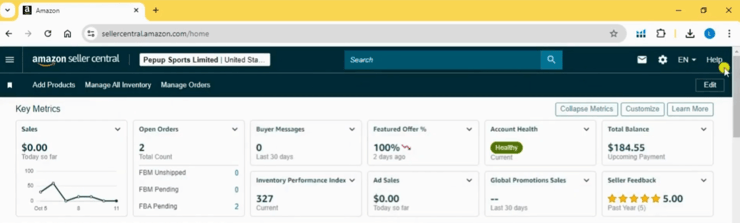
Go to Seller Central and select the help category that best matches your issue. Choosing the correct case path helps route your request to the appropriate internal team.
- Step 3: Include All Relevant Documentation
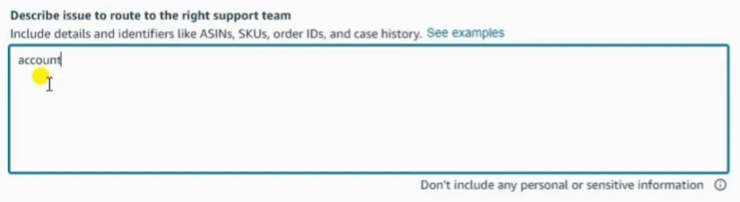
Provide all necessary details, including:
The more complete your documentation, the easier it is for Amazon to investigate the issue.
- Step 4: Clearly Explain the Desired Resolution
Describe the problem and specify exactly what you need Amazon to do. Clear, concise requests often lead to faster and more accurate responses.
- Step 5: Follow Up and Request Escalation if Needed
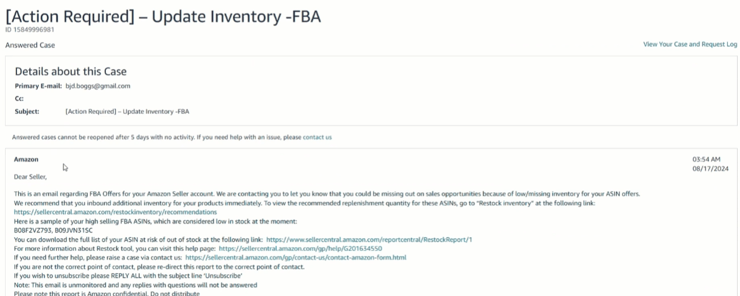
If Amazon sends a generic response, reply within the same case. Provide a clearer summary of the issue and request escalation to the correct internal team when appropriate.
- Step 6: Contact Amazon Seller Support Through Seller Central
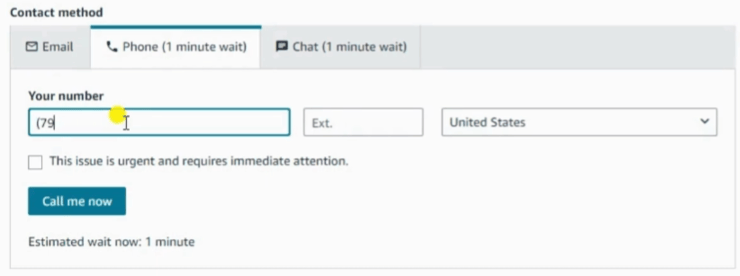
For sellers wondering how to contact Amazon seller support directly, the primary method is through Seller Central. Go to Help, search for your issue, select the most relevant case path, and submit a case or request available contact options.
Common Amazon Seller Support Issues That Need a Clear Case
Most Amazon seller customer service tickets are about operational, catalog, or account-level problems. The most common ones are:
|
Issue Type |
Details to Include |
Evidence Needed |
|
Listing suppression |
ASIN, SKU, marketplace, suppression reason |
Screenshot, compliance docs, product photos |
|
Catalog or product detail issue |
Current detail, requested update, affected ASIN |
Flat file batch ID, screenshots, product page URL |
|
Brand Registry issue |
Brand name, trademark info, affected listings |
Brand proof, authorization, screenshots |
|
FBA reimbursement |
Shipment ID, FNSKU, lost/damaged units |
Inventory reports, shipment reconciliation |
|
Stranded inventory |
SKU, FNSKU, stranded reason |
Stranded inventory report, listing screenshot |
|
Account health issue |
Performance notice, policy area, impacted ASIN |
Root cause, corrective action, supporting docs |
|
Payment or fee issue |
Transaction ID, fee type, settlement period |
Payment report, settlement report, Account-level reserves |
|
Return or refund dispute |
Order ID, return reason, refund issue |
Return report, order details, photos if relevant |
These issues can have a direct revenue impact. Amazon says optimized listing content through Manage Your Experiments can increase sales by up to 25%, which is why incorrect product details, blocked catalog updates, or listing suppressions should be treated as business-critical issues instead of minor admin problems.

How to Write an Amazon Seller Support Case That Gets Routed Correctly
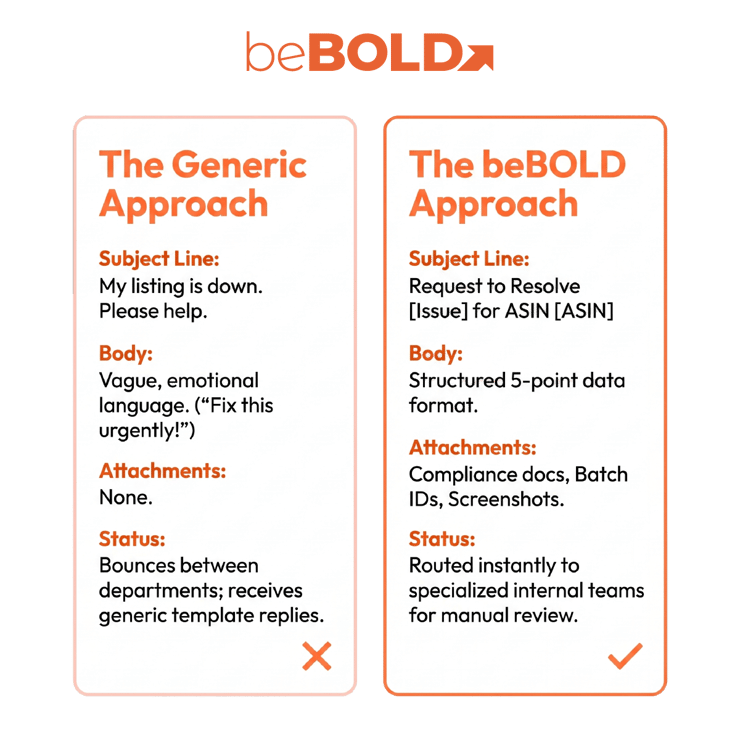
A good Seller Support case is short, specific, and backed by evidence. Don’t use emotional language or vague requests like “please fix this urgently.” Instead, organize your case using these five points:
- Situation: What changed?
- Impact: How does it affect customers, sales, inventory, or account health?
- Evidence: What proof supports your request?
- Actions taken: What have you already tried?
- Requested resolution: What exactly should Amazon review or correct?
For example:
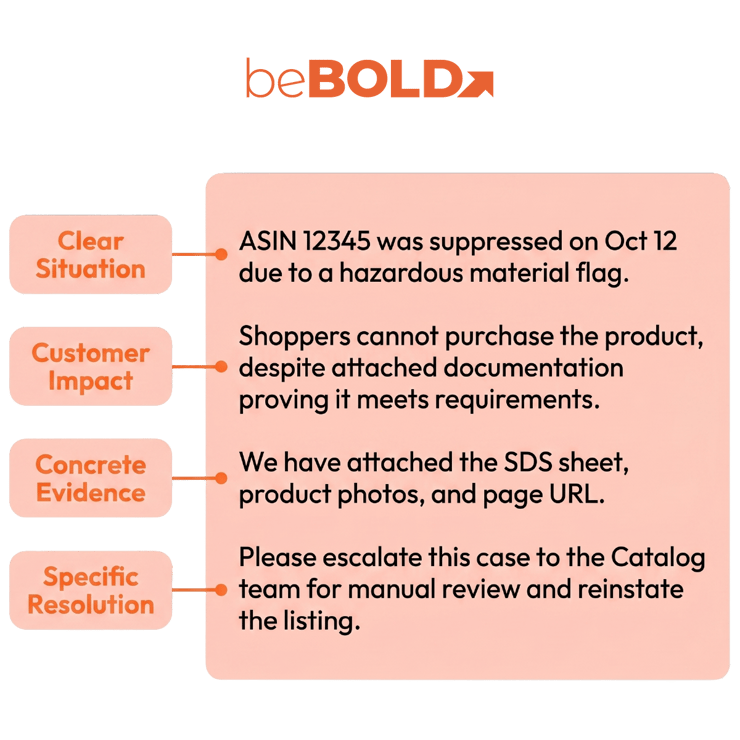
"ASIN [ASIN] was suppressed on [date] due to [reason]. This affects customer experience because shoppers cannot purchase the product even though the attached documentation shows the listing meets Amazon’s requirements. We have attached screenshots, compliance documentation, and the product detail page URL. Please escalate this case to the Catalog team for manual review and reinstate the listing if the attached documentation satisfies the requirement."
This format works much better than just saying, “My listing is down. Please help.”
beBOLD Digital expert tip: Write your case so that anyone, even if they don’t know your account, can understand the issue in less than a minute. Because Amazon Support cases often move between teams, always include a clear summary.
beBOLD Digital Client Scenario: Catalog Issue Affecting Sales
A beauty brand asked beBOLD Digital for help after wrong product details showed up on a top-selling skincare listing. The seller had opened several Amazon Seller Customer Service cases, but because the case history was inconsistent and there were duplicate tickets, they kept getting generic replies instead of a solution.
beBOLD Digital combined everything into one clear, evidence-based case for the affected ASIN. This made it easier for Amazon to send the request to the right team. For beauty brands, catalog mistakes can hurt trust and sales, so it’s important to regularly check your beauty listings and overall Amazon listing process.
How to Follow Up and Escalate Without Slowing the Case Down

Don’t open several cases for the same issue too soon. Duplicate cases can confuse things, lead to mixed replies, or get merged without fixing the problem. Here’s a better way:
- Wait 48–72 hours unless the issue is urgent.
- Reply inside the same case first.
- Restate the unresolved issue in one paragraph.
- Add new evidence only if it strengthens the case.
- Ask for escalation to the correct internal team.
- Keep a record of all case IDs and responses.
beBOLD Digital expert tip: Keep track of your case IDs, their status, and what you need to do next. This helps you avoid mixed-up follow-ups. If support problems are affecting your ads, check your Amazon PPC audit, because listing or inventory mistakes can waste your ad budget.
Amazon Seller Support Ticket TemplateSubject: Request to Resolve [Issue Type] for ASIN [ASIN] Hello Amazon Seller Support, I am requesting assistance with [specific issue] affecting ASIN [ASIN] / SKU [SKU] in the [marketplace] marketplace. Situation: [Explain what changed and when.] Impact: [Explain how this affects customers, sales, inventory, account health, or listing accuracy.] Evidence attached:
Actions already taken: [Briefly explain what you have already tried.] Requested resolution: Please [state the exact action you want Amazon to take]. If this cannot be resolved by frontline support, please escalate this case to the appropriate internal team for manual review. Thank you. |
How to Prevent Repeat Seller Support Issues
The best way to avoid support problems is to prevent them. Keep your product data accurate, save your compliance documents, write down shipment issues early, watch your account health, and check listing changes often. If your problems are about conversion or catalog quality, review your Amazon listing optimization before opening another ticket.
If your brand is growing, Seller Support should be part of a bigger plan that links catalog health, inventory, ads, and account management. beBOLD Digital’s Amazon account management services can help make these processes smoother and cut down on repeat support issues.
FAQs About Amazon Seller Support Issues
Should I open multiple Amazon support cases for the same issue?
Usually not. Start with one well-documented case and follow up within it. If the issue remains unresolved, open a new case and reference the previous case IDs.
What should I do if Amazon Seller Support keeps sending generic replies?
Restate the issue clearly, reference your evidence, and request escalation to the appropriate team.
When should I hire an Amazon agency for Seller Support issues?
Consider hiring an agency when support issues are impacting sales, account health, inventory, reimbursements, or customer experience.
Is there an Amazon Seller Support phone number?
Amazon Seller Support is typically accessed through Seller Central. Callback options may be available depending on the issue.
Can I email Amazon Seller Support directly?
Seller Central is the preferred way to contact Amazon Seller Support and track case history.
Is Amazon Seller Support available 24/7?
Availability varies by issue and marketplace. Check Seller Central for the contact options available for your case.








Comments